



Come for the Code, Stay for the Abuse

A clear undercurrent pervades all discussion of potential contributions to the open source projects I have been involved with. Everyone involved, contributors and maintainers both, assumes that open source projects should be glad of all the contributions they receive, that contributors are in short supply, and that every effort should be made to accommodate those willing to donate their time.

To some extent, this is true, to be sure, but I think the case is frequently overstated. One should be friendly to contributors, and honor their contributions, but a contribution to a running project is not a one-sided transaction. In fact, open source projects offer a precious commodity: maintenance in perpetuity, at least for the project's lifetime. In larger organizations, this sort of maintenance is quite often the subject of multi-million dollar "support" contracts, and is in fact the bedrock upon which the towering edifice of the software-support industry is built.

It has been gradually dawning on me, mostly since the institution of UQDS on Twisted, that this is not the only benefit a contributor receives from a good project. The careful feedback that an experienced peer reviewer can give to a contributor is valuable professional development tool. This is true even if the reviewer isn't particularly more experienced as a programmer or as a reviewer: simply getting a different set of eyes, and a fresh perspective on your code can show you problems with it that would never have occurred to you on your own.

Perhaps more importantly, it is actually prestigious to contribute to certain projects, and not in the cutesy-happy way that terms like "gift culture" imply. "Rank" in a merit-based hierarchy such as the Apache project can clearly contribute to one's employment prospects, as much as any other professional qualification.

I often wrestle with the problem of "recruiting" for projects which cannot pay their contributors, and has apparently very little to offer. As these notions occurred to me, I noticed a similarity in these sorts of benefits to another sort of contribution to a community: academia.

Recruiting for an open-source project is sometimes laughed off by potential contributors. "Yeah, right, like I'd spend my time writing code for free." Personally, I've always found the best of any field like what they do enough to do it for free, but still... this objection seems reasonable. It is ridiculous to give your time away when you could be getting paid for it, right?

Let's examine the average college student at a prestigious technical university - let's say CalTech or MIT - for a moment. They (or their parents) pay substantial sums of money for the privilege of attending the school. They are forced to do rote work - often in excess of 60 hours per week. At the end of four years of this gauntlet, they are presented with a piece of paper. As the son of one MIT alum and the fiancé of another, I can vouch for the fact that this is no cake-walk.

Of course, presented like this it doesn't sound so glamorous. As a dropout myself, I have an incentive to make it sound bad; but in our high-tech society the value of education is well-understood. I don't think I need to explain to any likely reader of this blog why that piece of paper might be worth something to a few of those students one day. Although many students might receive some form of scholarship or free tuition, nobody in their right mind would suggest that these schools should compensate their students, or frantically beg students to enhance their academic community by giving them whatever research they feel they have time for...

So, let's look at the Twisted project from this perspective. Community dedicated to technical excellence? Check. Continuous, harsh abuse of its participants self-esteem? Check. Years of incredibly tedious drudge-work to complete? Check.

We don't have a piece of paper, though.

This is actually very important, and I think can explain a lot of difficulty in recruiting. Often, contributing to an open source project such as Twisted is described as a happy, fun exercise, in the hopes that it will attract contributors. It can be fun, of course, but on the whole that is not the real motivator, and so this is generally recognized as false by potential participants and they move on. As we have moved further towards honesty about that fact - for example, instituting an unapologetic review process that rejects a substantial number of contributions - we have paradoxically gotten more activity, not less. Contributors actively engaged in the project have noticed an improvement in their own skills and are excited about that fact.

Still, it's an uncommon skill to be able to recognize that you're improving and be happy with that alone. I think that some public form of recognition could go a long way towards getting more people involved. I've been pondering different ways that we might honor contributors, from a branded USB drive, to some kind of offical certificate proclaiming a "rank", all the way to something like a "class ring" for contributors above a certain level.

That's probably not all it takes to get people excited about contribution, though. Institutions like MIT have centuries of cultural context associated with them. You can see this in movies: when a hacker character is being introduced in movie which prominently features the tubes, the whispers in the background often talk about the hacker in question's academic history at a selective university. I have been trying to imagine what the world would be like if, in the dramatic scene where Extreme Hacking Prodigy #2 is being introduced, the muted voices in the foreground of the scene were instead exchanging knowing mutters about his near-impossible record of over one hundred patches accepted to Twisted - in less than a year!

More importantly than what that would would be like - how do we get there from here?

New Twisted Site

The Twisted website has been updated with a new look.


Check it out.

How could I not go?

I thought I wasn't going to have enough time to go to PyCon this year.


It turns out that someone I know is keynoting. How could I miss that?


Looks like I'll be buying a ticket to Texas soon...

"This bash shell is now fully operational!"

For many years, I have been a fan of the Z shell. In particular, I loved its programmable completion and many hookable interactive events.

As the years have gone by, however, Bash has slowly re-taken the ground that ZSH originally claimed. Programmable completion, ever more elaborate prompts, and so on became as commonplace in bash configurations as in ZSH. In addition, Bash has had better Unicode support for a long time. The one thing that left ZSH on top of the heap for me was the presence of two hookable events: "precmd" and "preexec", which allowed me to set the title of a ZSH terminal window to be whatever command was currently running. For a variety of reasons, this ability to quickly identify windows has long been immensely useful to me and I was reluctant to give it up.

However, one night a few weeks ago, I was haplessly tab-completing some heinous unicode filename and ... something happened. I'm not really sure what - it may even have been my own fault. However, rm -fr é¢ñ/<tab> somehow became "rm -fr \x00 \x00 \x00 ~" (or something along those lines) and only a very quick control-C saved my home directory.

Knowing that Bash would have Done The Right Thing in this situation thanks to Readline's UTF-8 input support, It was finally time for me to make the switch. I just needed to see if there was any hope of saving my beloved xterm titles on my way over there.

It turns out, there is. Submitted for your approval: zsh-compatible precmd and postcmd support in PURE BASH!

There was apparently a problematic patch to bash at one time which provided similar functionality, but it isn't necessary! You can have zsh-style custom xterm titles in versions of bash all the way back to 2.05b with the above file.

Here's a simple example, which you can use with the above script:

set_xterm_title () {
local title="$1"
echo -ne "\e]0;$title\007"
}

precmd () {
set_xterm_title "${TERM} - ${USER}@${HOSTNAME} `dirs -0` $PROMPTCHAR"
}

preexec () {
set_xterm_title "${TERM} - $1 {`dirs -0`} (${USER}@${HOSTNAME})"
}

Keyboard Review: the Logitech diNovo Edge, with Linux

Over thanksgiving weekend, the always excellent Ying purchased a very thoughtful gift for me - the Logitech diNovo Edge™ keyboard.


They keyboard itself is very slick. If you want to read a thorough review of the various features, I suggest here or here; but the best thing about this keyboard from my point of view is that Logitech has produced a grown-up looking product here without unnecessary features. It's simple, graceful, beautiful, and works well. This is really what the diNovo line should have originally been. I was very excited about, and ultimately very disappointed by, the original diNovo offering, so I can't help but compare it.


The previous diNovo looked cool, but it was a miniature circus. It was a keyboard, a bluetooth hub, a mouse, a charger, a detachable keypad, a calculator, an LCD display, custom software, and a partridge in a pear tree. The mouse charger / bluetooth hub combo itself had 4 wires coming out of the back: a PS2 mouse plug, a PS2 keyboard plug, a USB plug, and power. The software was intended to be used as a "media hub", aggregating all kinds of bluetooth devices into a whirlwind of frustration and insanity. (Bluetooth support still isn't great on most computers, but back then, it was positively obscene.)


The Edge is almost the exact opposite. There are 3 things in the box: a tiny USB receiver dongle, the charging stand, and the keyboard itself. Whereas the previous diNovo was thin and sleek, the Edge is incredibly pretty. It is actually made out of glass that was cut with a laser. The keyboard's two unusual features, an integrated trackpad (sorry, "TouchDisc") and volume slider, are tastefully small and relegated to the right side of the keyboard. Rather than hedge its bets with a detachable number pad, the new Edge makes a bolder statement: this isn't a keyboard for excel jockeys doing data-entry, and if it is, they're classy enough excel jockeys that they can touch-type on the number row.


The keyboard's bluetooth implementation is flawless. I've associated it with 3 different Bluetooth hubs already, and none of them took more than a second to work with it. It provides all of its buttons and features over standard protocols rather than requiring, as the original "Media Desktop" diNovo did, special drivers and custom hub hardware to take full advantage of it.


Despite this superior implementation, it has no pretensions to being a "media desktop" - it's a wireless keyboard. This is most clearly evidenced by the dongle: although the keyboard uses Bluetooth to communicate, the supplied dongle does not expose any Bluetooth functionality or require any Bluetooth drivers on your PC: it looks like a regular USB keyboard. If you've never been through the hell of configuring a bluetooth device, the significance of this merciful act may be lost on you, but trust me: it is the difference between suffering through 10 hours of obscure configuration error messages, and just plugging in a functioning keyboard.


And that brings me to the main event. Others have reviewed this keyboard's various features and suitability under Windows or the Mac; I'm going to tell you about Linux. I did suffer through those configuration error messages, but for good reason.


Out of the box, the keyboard almost works with Linux. All the special keys, the volume control, and the packaged dongle worked instantly, and that was pretty surprising. Even forgetting about driver issues, bluetooth devices typically take a few moments to "warm up".


There is a problem, however. Although the TouchDisc produces events of some kind, and is recognized as a mouse by Linux, the /dev/mouseX device produces no output. Similarly, nothing happens on /dev/input/mice. Telling Xorg to look at the devices created by the TouchDisc -- for example, to treat the output from the /dev/eventX as an evdev or /dev/tsX as synaptics device -- results in a segfault or an infinite hang, respectively.


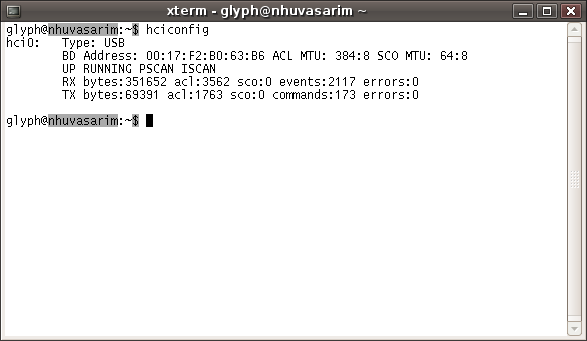
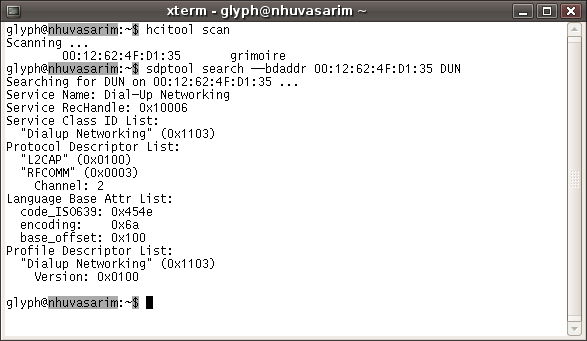
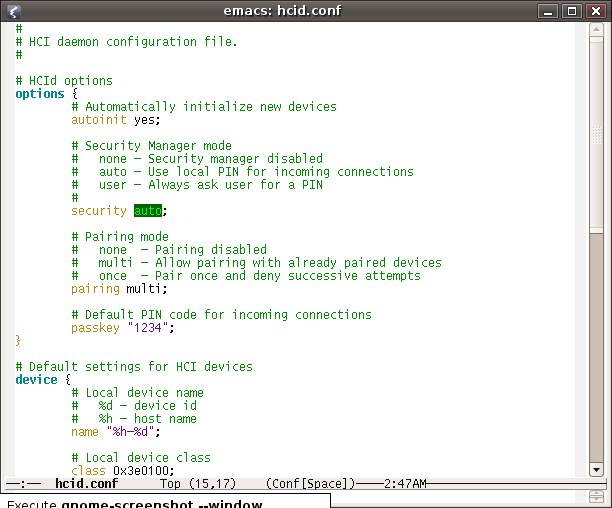
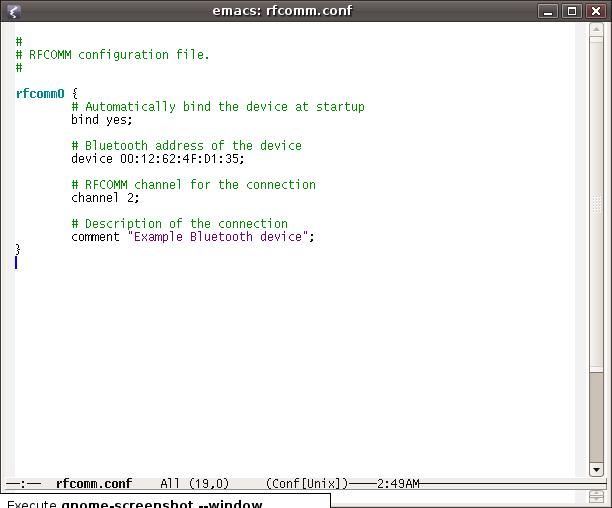
I suspect that within a year or two, the Linux drivers will be fixed, but until then there is another option: configure the device with a different bluetooth hub. This post over at UnixAdminTalk pointed me in the right direction, and I originally tried using it with my original Bluetooth adapter. In this configuration, all of the keyboard's features worked: the optional keys, the TouchDisc, scrolling, etc. The problem is that I'd have to set up a potentially fragile boot-script to run the appropriate commands, and I'd be unable to use the keyboard to navigate my boot menus. Since I need to use Windows quite often on this computer, that was not really an option for me.


So there's a third option, which is what I'm sticking with.


The ANYCOM USB bluetooth Adapter "USB-250" was on sale at my local electronics store. It was hard to find an adapter that explicitly mentioned this feature, but it has a HID gateway (what they refer to as "mouse and keyboard binding") - the same feature that allows the Logitech dongle to start instantly at boot rather than waiting for OS drivers to tell it to pair. To do this, I had to install the most recent drivers from ANYCOM's website, run a program to flash the dongle, and then pair with the keyboard.


Once that's done, unfortunately, the dongle doesn't work properly as a Bluetooth (i.e. HCI) device in Linux. It just looks like a USB keyboard and mouse. The bluetooth feature shows up, but I wasn't able to get any of the Bluez utilities to tell it to talk to other devices, and hid2hci thinks it's already in HCI mode. Also, the keyboard's "special" buttons (and the volume slider) don't work through the ANYCOM's USB emulation in Linux! The important thing, though, is that it enables the keyboard at boot, and provides a functioning USB mouse emulator which allows it to be used in both operating systems. In Windows, the drivers transition it properly back into Bluetooth mode and I can use other Bluetooth devices. Again, I'm hopeful that the Linux driver situation will improve with time.


To sum up, you can get two of the following three features in linux right now: availability at boot, the touchdisc, and a the volume slider and FN key.


Personally, that's good enough for me, both because the keyboard is beautiful and because I'm using it in a unique situation. My desktop PC is also my media center PC. I want a keyboard that works for both.


While occasionally inconvenient, this dual-purpose hardware setup is intentional. My PC needs to switch to TV mode in order to watch TV, so the lovely donor of this keyboard can't turn on loud and colorful TV shows within my ADD-riddled line of sight while I'm trying to work at home. Similarly, I can't get distracted and wander off to work while we're watching a movie together.


I have gone through several other, cheaper, wireless keyboards, all of them too shoddy to even bother reviewing[1]. I have long wanted one which was good enough to be taken seriously as a desktop keyboard (as good as or better than the Déck) but simultaneously wireless, so I can pick it up and drag it to the couch when necessary. The Edge provides all that, plus the bonus of having a tiny footprint. Space is at a premium on my very, very small desk, and I now have enough room with the keyboard put away to use the same space to fill out forms and read books.


[1]: Hint: if you are going to buy a non-Bluetooth wireless product from Logitech, make sure that the "wireless" icon on the box also says "Pro", or you are going to get something with a range of 3 feet and a tendency to drop data entirely. There's no other indication of this massive difference in quality. My experience of other brands is even worse than that of Logitech's low-end offering.


Of course, all of this is moot unless the keys feel good. After working with several aggressively clickety keyboards for the last few months, it's a stark contrast. The keys are extremely quiet by normal standards, and completely silent when compared to an EnduraPro.


It's difficult to describe the precise feel of the keys. I'm not sure what the phrase they use to describe it, the (ahem) "PerfectStroke™ Key System" is supposed to mean. It feels like a sturdier version of the first diNovo's keys. One test I perform on scissor keyboards is pushing down one corner of the key to see how evenly the key as a whole will depress. Cheaper switches wiggle quite a bit, and the original diNovo had this problem so badly that the "alt" key eventually just gave up entirely.


The keys have very little travel, and a medium-to-well-defined click at the point of their activation, followed by a sort of "cushioned" feel when you've pressed past that point. They're normal sized. The keyboard's layout thankfully doesn't have any surprises (beyond the usual Logitech reconfiguration attempting to make the "Insert" key harder to hit, which I entirely approve of). I haven't quite gotten back up to the typespeed scores I could achieve with the Déck, but I've improved quite a bit after only a day. I don't expect there will be much of a difference.


While it's hard to say without a lot of hard use, I am hopeful that the keys are of a generally higher quality than the previous iteration. Although I had to use the older one for almost a year to break the "alt" key, many of the mildly disconcerting features of its keys aren't present here. Describing these phenomena would be tedious and difficult without diagrams, but they definitely aren't there. Most of all, the first iteration simply had the phrase "scissor keys" to describe the switches, but this version has a paragraph of prose devoted to its "key system". That could certainly just be sophistry, but it is encouraging to know that the product development people are devoting more attention to the key part of the keyboard. Logitech also states that they're using 10-million-cycle switches now, which while it doesn't live up to the insane specifications of the EnduraPro (25M cycles) or the Déck (50M cycles) still isn't the default "we don't say how many cycles our keys can handle", which is generally 1M or less.


The trackpad's not fantastic. It's a little hard to hit the right mouse button. The duplicate left mouse button on the left side of the keyboard is a nice touch though, allowing you to easily use the mouse while standing and holding the keyboard with both hands on either side. The trackpad is also sluggish, which is a bit of a pain because I have the very high-resolution G7 mouse plugged in as well, and there's no speed which accommodates them both. It wouldn't be usable for gaming. Still, it is quite a lot nicer than other integrated trackpads I've used, and its small size makes it ideal for the occasional need to tap a control or two while watching a movie or playing a game on the TV.


The Edge is a very nice keyboard. If you have a dual-purpose computer situation like mine, you may find it ideal. Indeed, it is the only keyboard I've yet seen that can handle both the "media center" and "desktop wireless keyboard" jobs equally well. It can even be made to work with Linux, although depending on what you want it can be a little bit of a pain. If you know your way around a command line and are willing to buy another bit of hardware it you can almost certainly get it set up the way you like it, though.


No review of a diNovo product can really conclude without mentioning the price. It's a $200 keyboard. I know, it's ridiculous. I am thrilled that Ying decided to spring for it, because despite heavy interest, I was pretty sure I wouldn't get it for myself after being disappointed by the original diNovo boondoggle.


However, this stylish and apparently high-quality keyboard is now serving two purposes: providing the quality key switches of a $100+ wired desktop keyboard, and one which would have been filled by a $90-or-so wireless keyboard. I have also been disappointed by and returned several just-sub-$100 wireless keyboards which don't have the range or small size required to sit comfortably on the couch. So, while Logitech could certainly lower the price without their customers complaining, at some level it makes sense. It's expensive, but especially for the keyboard aficionado with a wired home and a lot of typing to do, it isn't necessarily a waste of money.